To quickly upgrade your Starfield ship, focus on adding cargo, better engines/grav drive, and crafting Habs (like science/workshop) to your starter ship at a Ship Services Technician, balancing power allocation and mass; prioritize key upgrades like better weapons (particle beams are great), shields, and a strong reactor to boost performance for combat and storage, using the Flight Checker to fix errors like obstructed dockers, and remember that stealing or completing missions (like Freestar Rangers) yields better ships/parts.
How do I quickly upgrade my ship for battle?
To quickly upgrade your ship for battle in Starfield, focus on prioritizing key component upgrades, joining the UC Vanguard faction for access to superior parts, and levelling specific skills.
Immediate Ship Upgrades
You can quickly make your existing ship battle-ready with a few targeted purchases at any major spaceport technician, such as those in New Atlantis or Neon.
Upgrade the Shield Generator first. A bigger shield provides significantly more survivability in combat.
Install better weapons. Focus on weapons with high damage-per-second (DPS). Many players recommend particle beams as they are effective against both shields and hull health.
Prioritize power allocation. In the heat of battle, ensure your shields and primary weapons have maximum power (pips), as this increases their effectiveness and recharge rate. You only need minimal power to engines to maintain a good turning speed, not maximum speed.
Fastest Long-Term Strategy
The most efficient way to gain a powerful ship and parts quickly is through specific in-game actions:
Join the UC Vanguard: Go to the MAST building in New Atlantis and speak to Commander Tuala to enlist.
Complete the Flight Simulator: As part of the recruitment process, you will use a flight simulator. This is a zero-risk way to practice combat, level up your Piloting skill, and earn access to powerful Vanguard-exclusive ship parts, such as the Vanguard Obliterator particle beams and Vanguard Bulwark shield generator.
Complete Faction Quests: Finishing the full Freestar Rangers questline will award you the Star Eagle, an excellent Class A ship that can carry you through most of the game with minor upgrades.
Skill Investment & Tactics
Piloting Skill: Ranking up this skill is crucial, as it unlocks the ability to use more powerful Class B and Class C ship components. The Vanguard simulator is the fastest way to level this up without risk.
Targeting Control Systems: Invest in this skill to target specific enemy systems (engines, weapons, shields), which makes battles much easier by disabling threats.
Battle Tactics: During combat, manage your speed (throttle down to the middle for max maneuverability), use your thrusters for quick turns, and focus fire on one enemy ship at a time to prevent their shields from recharging.
How do I build an inter system cargo link?
To build an intersystem cargo link in Starfield, you need two “Cargo Link – IS” platforms in different systems, a Helium-3 farm (extractor + storage + gas container) at the sending outpost to fuel the system, and linked storage containers at both ends for resource flow, all connected via the outpost’s console to create a resource pipeline, with Helium-3 required at both ends for the ships to travel.
1. Prerequisites & Setup
Unlock Research: Research “Manufacturing I” and “Construction” (Tier 1) at a Research Bench (like in Constellation’s basement).
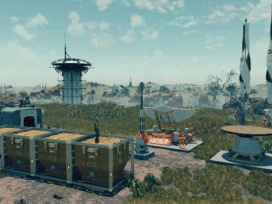
Build Platforms: Place an “Outpost Beacon,” extractors for your desired resource, and an Inter-System Cargo Link (the one with 3 containers on the pad) at your sending outpost.
Build Receiver: At the receiving outpost (in another system), place another Inter-System Cargo Link and connect its incoming container to your storage.
This video provides a simplified guide to setting up inter-system cargo links:
2. Fueling the System (Helium-3)
At the Sending Outpost: Build a Gas Storage container, fill it with He-3, and link the extractor to the storage, then link the storage to the Cargo Link’s fuel tank (not the main containers).
At the Receiving Outpost: Build a second Gas Storage, link your main storage to its fuel tank, and ensure it also has He-3. The ships use He-3 for travel.
You can watch this video to see how to prime your gas storage container:
3. Connecting Your Resources
Link Extractors: Build a storage container (e.g., a Solid Storage) near your extractors at the sending outpost. Use Output Links to connect your extractors to this storage container, and then link this storage to the Cargo Link’s outgoing container.
Link Incoming: At the receiving outpost, link the Cargo Link’s incoming container to your main storage bins (Solid, Liquid, Gas).
This video explains how to connect your resource collectors to the cargo link:
4. Finalizing the Link
Use the Console: Exit build mode and interact with the console on the Cargo Link platform at the sending outpost. Select the other outpost’s Cargo Link from the list to establish the connection.
Wait & Verify: Wait for the ship to land (lights flash rapidly), then check the console (weight should be 0 for a successful delivery). Run the system for a few cycles (3+) to ensure it’s fully automated.
You can watch this video to see the final steps of establishing the connection:
Key Tips
Use the Inter-System Cargo Link (3 containers), not the regular Cargo Link (2 containers).
Always provide He-3 at both ends for the transport ships to operate.
Link extractors to intermediate storage, then storage to the link’s outgoing container; avoid direct links from extractors to the link.
This video provides an overview of how to upgrade your ship:
Quick Upgrade Priorities
Cargo: Add as much as possible for storage (bottom-mounted cargo holds are good).
Weapons: Duplicate existing weapons or add particle beams for efficient damage against shields/hull.
Engines/Grav Drive: Upgrade to handle increased mass and improve performance, often using Amun or similar engines for power/thrust.